
Collect your work
Bring tasks, meetings, flagged emails, and manually added work into one planning view.
Local-first desktop planner
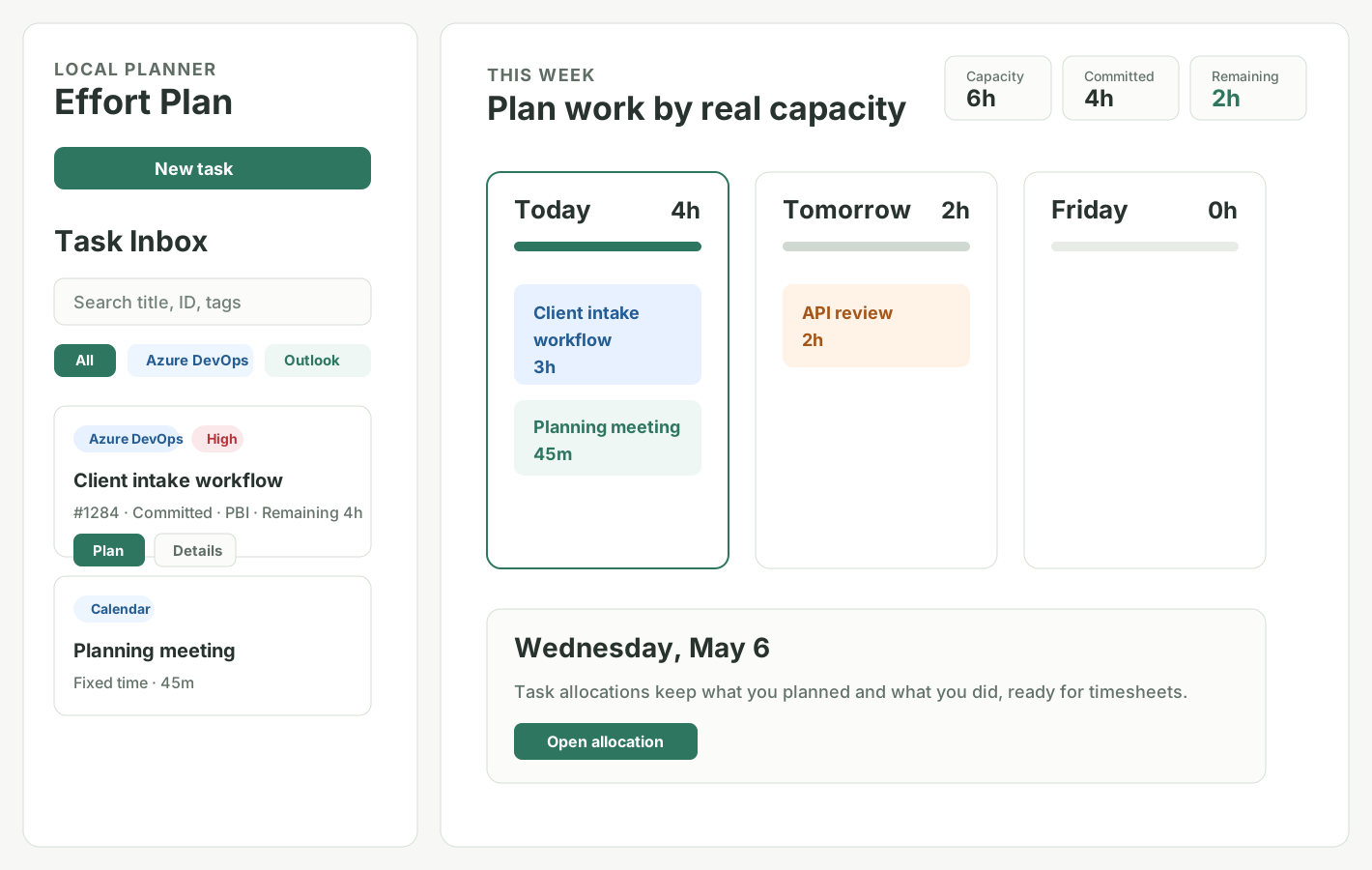
See your tasks, meetings, flagged emails, and manual work in one place. Effort Plan helps you decide what can realistically fit today.
How it helps
Effort Plan is for deciding what to work on today, not just collecting another long list.
Bring tasks, meetings, flagged emails, and manually added work into one planning view.
Give each task a simple time estimate so the day is based on real hours, not hope.
Place work on the calendar day and keep meetings from hiding the hours you already committed.
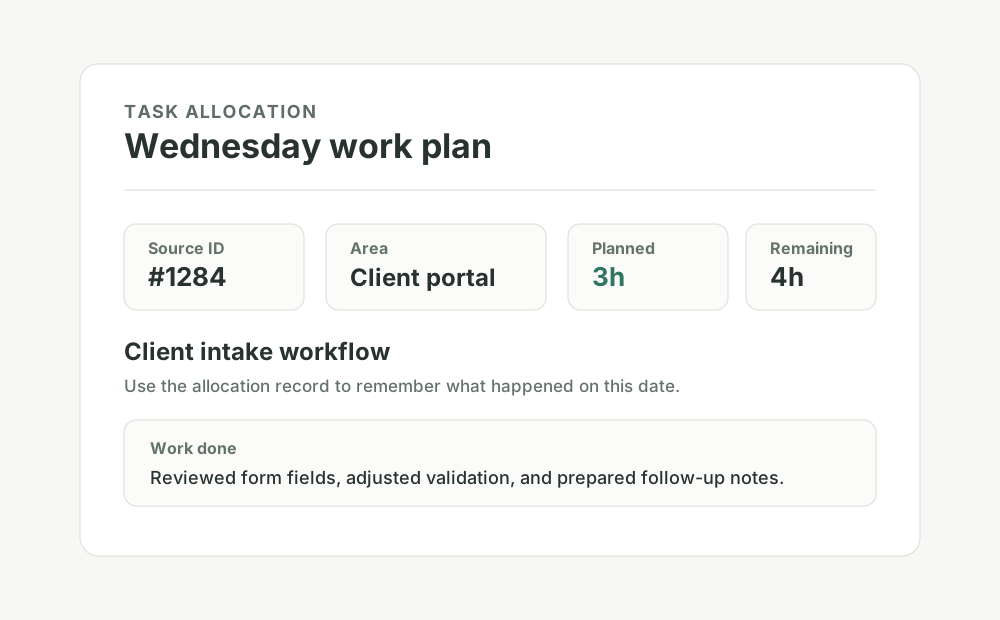
Keep short notes on what you did, so timesheets and follow-ups are easier to reconstruct.
Daily planning
Work sources
Start with manual tasks, then connect the sources you use. Imports are read-only, so Effort Plan does not change your original work items.
Choose a provider template.

Import assigned work items with effort from your configured field.
Project management
Use meetings already synced into Apple Calendar on this Mac. No organization approval needed.
Calendar
Import flagged emails from the Microsoft Outlook app on this Mac. No organization approval needed.
Email
Use task lists already synced into Apple Reminders on this Mac.
Tasks
Import Gmail messages from a saved search, such as starred or important mail.
Email
Import fixed-time Google Calendar events into daily capacity.
Calendar
Sign in with Atlassian and import Jira Cloud issues read-only.
Project managementDirect Microsoft cloud options can be useful, but work accounts may need organization approval.
Sign in with Microsoft. Work accounts may need organization approval.
Calendar
Sign in with Microsoft to import To Do tasks and flagged emails. Work accounts may need approval.
Tasks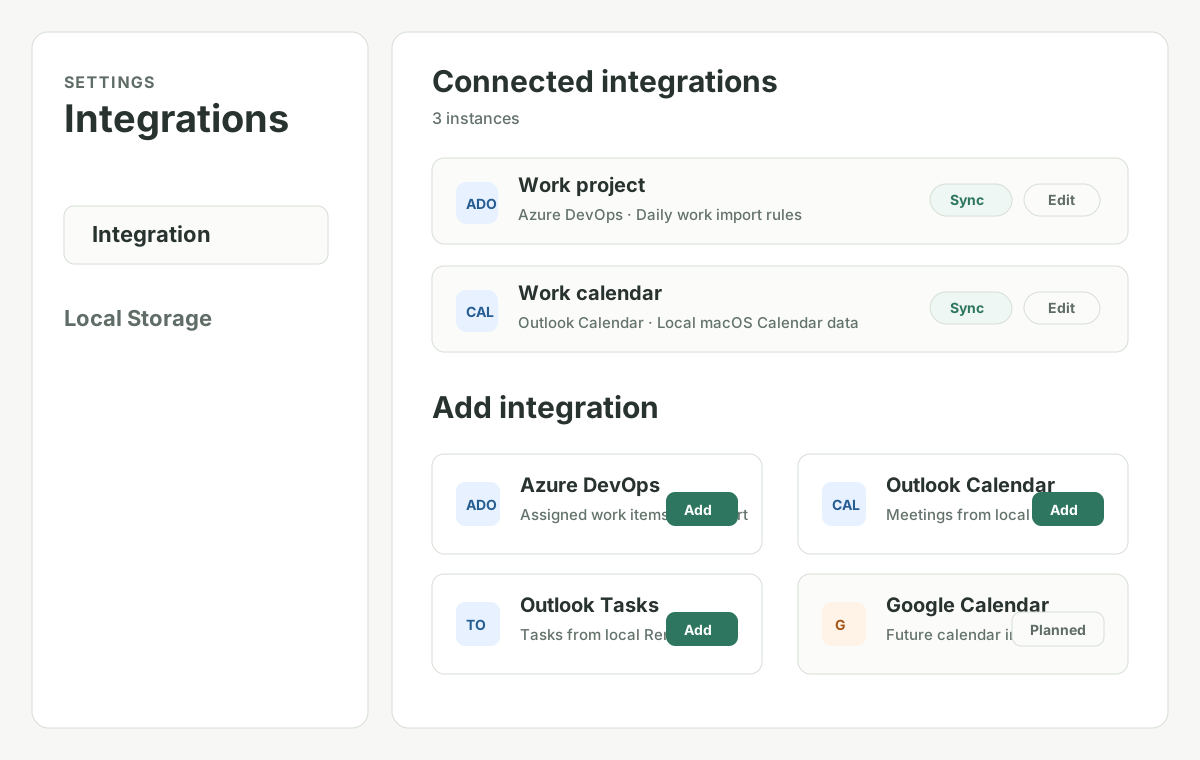
Private by default
Free
No account is required for local planning. Sign in whenever you want cloud backup, restore, and access across devices. There are no paid plans.
Local desktop planner, local storage on this computer, manual tasks, read-only imports, export, and import.
Cloud backup, restore, and multi-device sync are free for every signed-in account.
Use the same free account to plan and sync from iPhone without a subscription.
No checkout, promo code, or subscription is required.
Downloads
Download the app, open it, and start planning locally for free. No account is required.
For Macs with Apple silicon, including M1, M2, M3, and newer chips.
Download for MacFor Windows 10 and Windows 11 computers.
Download for WindowsRelease logs
Release notes are written in product language so you can understand what is ready, what changed, and what is still limited.
Released October 29, 2026 with connected-account sync and browser access to cloud tasks.
FAQ